Decide what to cook
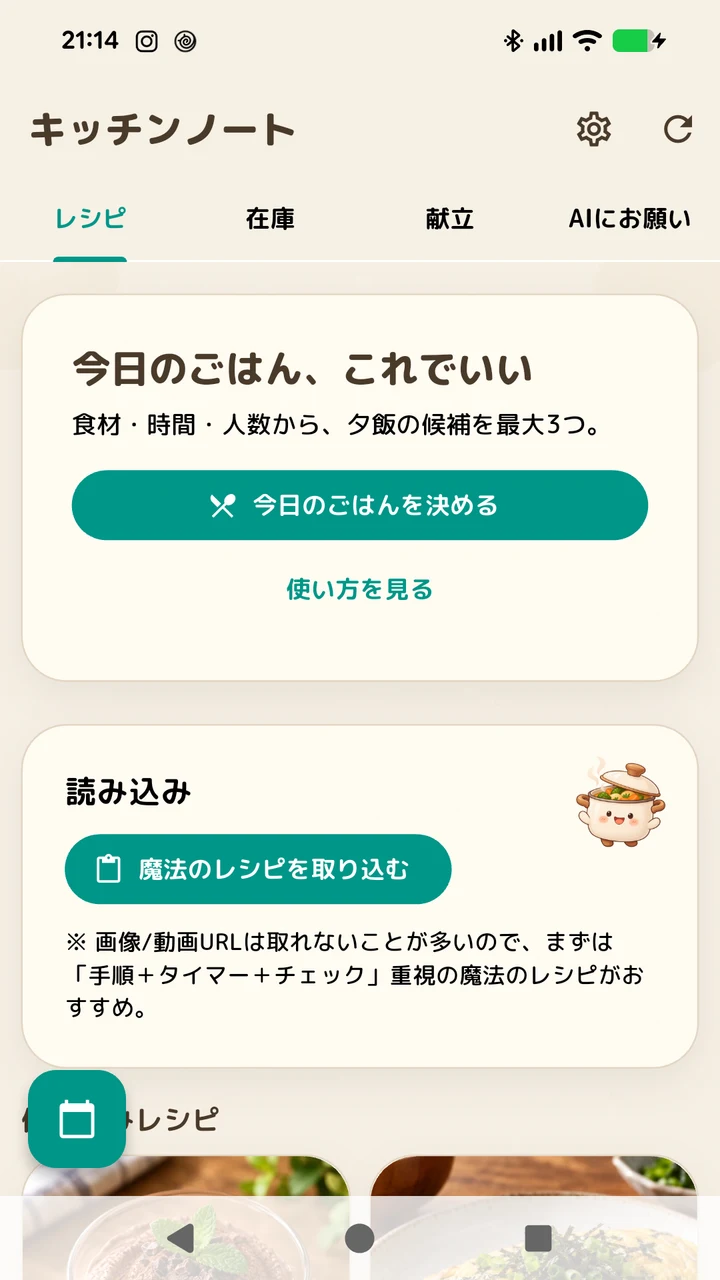
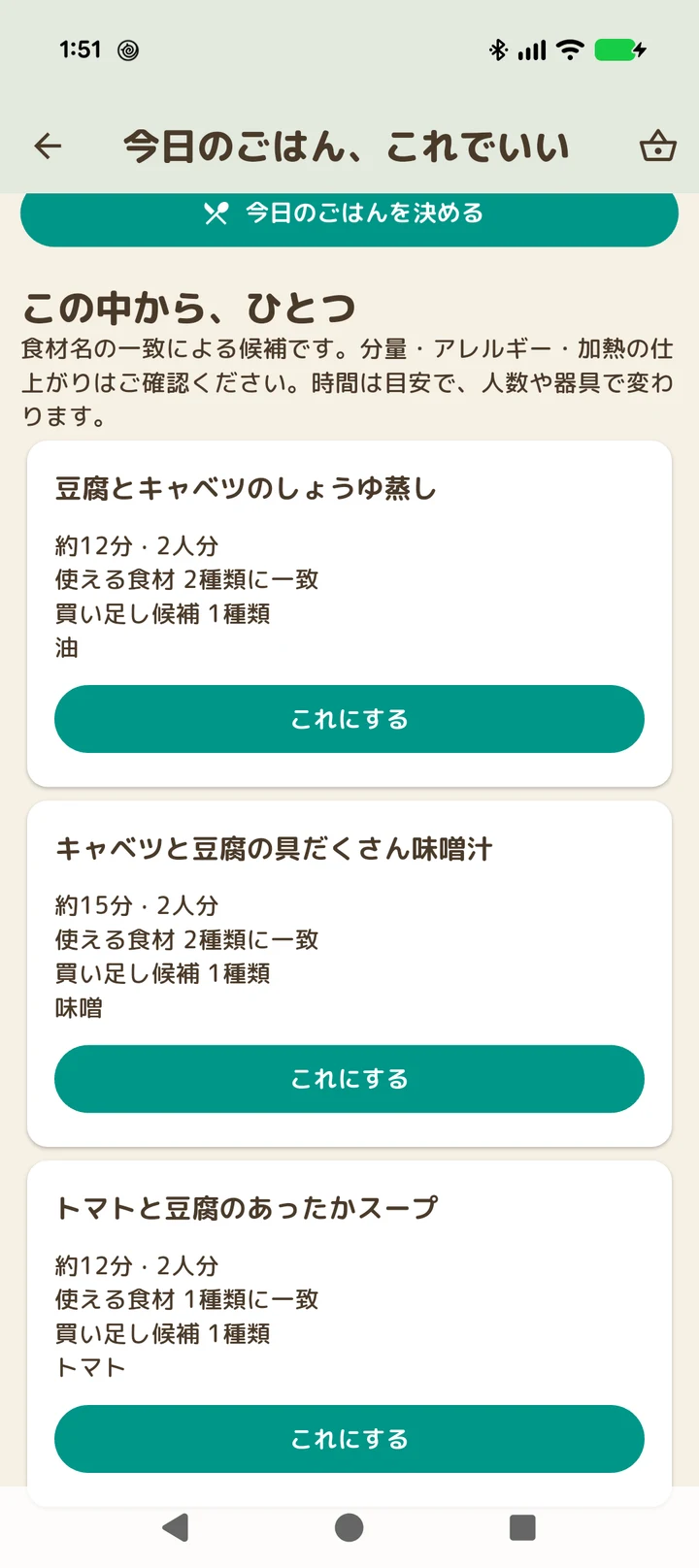
Choose your ingredients, time and servings. Kitchen Notes suggests up to three options from recipes stored on your device.
Kitchen Notes
Cook · ANDROID APP
Find up to three dinner ideas using your ingredients, time and servings. Keep the shopping list, recipe steps and timers close at hand.
View on Google PlayFor Android · Contains ads
Japanese & English UI · follows device language
Kitchen Notes
WHAT YOU CAN DO
Choose your ingredients, time and servings. Kitchen Notes suggests up to three options from recipes stored on your device.
Scale ingredients for the people you are cooking for, then save what you need in a shopping memo. Check items off as you shop.
Check off recipe steps and set cooking timers. Save recipes, add your food photos, and back up your collection.
GET STARTED
Dinner suggestions use saved recipe data. AI recipe creation happens in an external service; import its recipe JSON using the app’s prompt. Timer alerts depend on Android permissions, volume and device settings.
See the latest listing and check compatibility with your Android device, then install from Google Play.
View on Google PlayTAKE A CLOSER LOOK
Select an image to enlarge it.
Listed on Google Play as: Kitchen Notes: AI Recipe Saver
ALSO BY SPRINGPORT

A daily fortune. A quiet moment by the water.
Draw a Japanese fortune, then watch the sea life you have collected. Build a small night aquarium, one discovery at a time.

A little perspective, written in the stars.
Check your zodiac reading, explore compatibility or try a love-type quiz. Make a small space in your day for a lighthearted reading.